
Web scraping v1.0 12-09-2024
The Goal: Start web scraping website X with Python in order to get a list of private rentals (monthly rent) and export this to Excel to further analyze the rental market of city Y. *Website and city are undisclosed for legal purposes. Moreover, the full Python code is NOT visible for the same reason).
# output only prices
from selenium import webdriver
from selenium.webdriver.common.by import By
from selenium.webdriver.support.ui import WebDriverWait
from selenium.webdriver.support import expected_conditions as EC
from bs4 import BeautifulSoup
#Initialize the WebDriver (make sure you have the appropriate WebDriver executable for your browser)
driver = webdriver.Chrome()
try:
# Open the target webpage
driver.get(‘https://www.XXXXXXX.com/apartments/YYYYYY’) # Replace with the URL of the page you want to scrape
# Wait for the elements to be present
WebDriverWait(driver, 10).until(
    EC.presence_of_all_elements_located((By.CLASS_NAME, 'XXXXXXXXX'))  # Replace with the actual class name
)

# Get the page source after the JavaScript has rendered the content
html_text = driver.page_source

# Parse the rendered HTML with BeautifulSoup
soup = BeautifulSoup(html_text, 'lxml')

# Find all elements with the class 'example-class'. Or replace with 'apartments'.
elements = soup.find_all(class_='XXXXXXXXX')  # Replace with the actual class name

# Print the text of each element> or  replace with 'for apartment in apartments' if chanced.
for element in elements:
    print(element.get_text(strip=True))

#'elements' can/should be replaced by 'apartments', and 'element' by 'apartment'#
finally:
# Close the WebDriver
driver.quit()
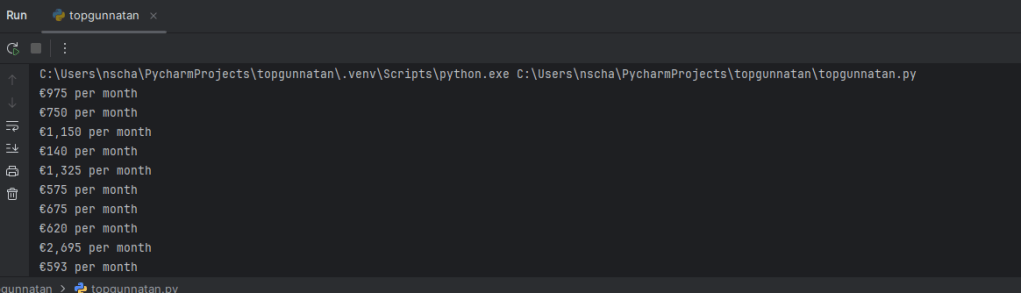
Then we can export it into the Excel file which I already setup (started in week 35 of 2024):


 DataArion